Remember that you can always contact HermeTech Customer Service for assistance.
Common Issues

|
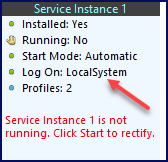
First you have to determine what the problem is. Stop your windows services and troubleshoot by Running Locally. If it WORKS running locally but does NOT when running as a service see the entry above.
|
See this discussion about installing and removing the Windows Services.
|
Importing large HL7 messages takes longer than smaller messages. When we are talking about LARGE messages this is not necessarily about the actual SIZE of the data file/message in Kilobytes or Megabytes, but rather the number of HL7 Segments the message contains. You can have 1 message which is 50KB in size but contains 1000 HL7 segments which will take considerably longer to import than another message which might be 5MB in size because there's an embedded document or image but only contains a dozen HL7 segments.
Outside of this, we cannot really speak to the other factors which might influence this such as:
•MS SQL (or MySQL) server performance issues. •Database or index corruption. •Network speed or connectivity issues (if the database server is remote).
It would be best to have your DBA or Network Administrator get involved in tracing problems like this. You can contact customer service if you like and we'll be happy to help them in any way that we can.
|