Before you begin. This product is an "enterprise" feature for customers that own the UltraPort SQL Schema Engine (Enterprise License) and uses the SQL Schema Engine API which is another "enterprise" feature. As such you need to have first configured your UltraPort SQL Schema Engine (Enterprise) to create SQL Schema API Keys and export them to the file system to a location which this program can "see". See the section What is an API Key File for more information on API Keys.
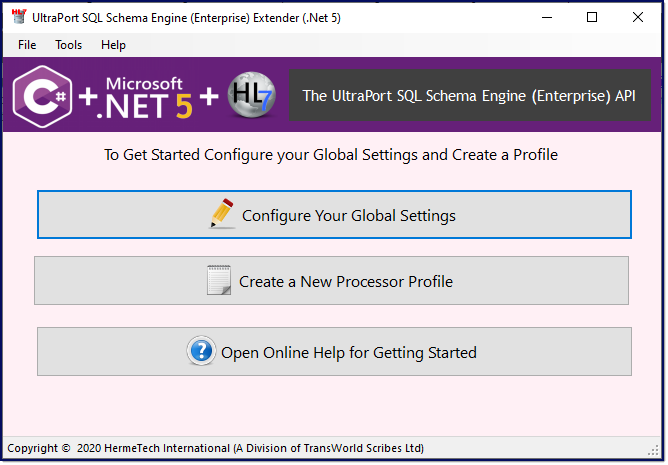
Initial Main Window View (Not Configured)
When you start the program for the first time the main window will look like the screenshot above. It will stay that way until you have successfully created your first processor profile.
The first thing that you must do is set up the global settings. To do this click the top button Configure Your Global Settings.
After you've completed your Global Settings you need to create a new profile. To do this click the button Create a New Processor Profile.
That's it. Congratulations, you are now ready to continue on and use the SQL Schema Engine Extender.
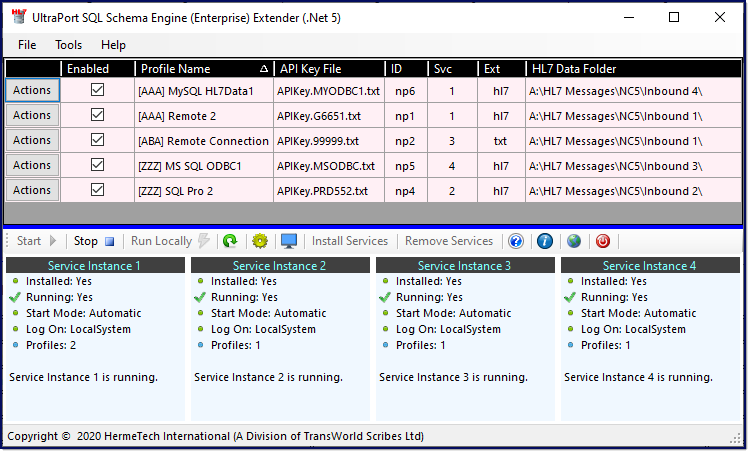
The Main Window
See Also: The Main Window, Running the Extender